
Contents
The brief
For a project of the Ministry of Welfare, CREATING.LV developed an online self-assessment tool for environment and information accessibility. It is intended for institutions that need to assess the accessibility of public buildings, event halls and sports facilities. The self-assessment system combines two stages of work: entering information about a specific site and reviewing the resulting data in the administrator environment. The project was handed over in 2026.
The project is based on the ministry’s self-assessment questionnaire in Excel format. Instead of separate files, a single workspace was needed with a shared question structure and a clear order for filling it in. The technical specification plans an assessment scale of approximately 2,000 sites. This describes the project’s intent, not a number of system users or already assessed buildings confirmed in this overview.
Our role
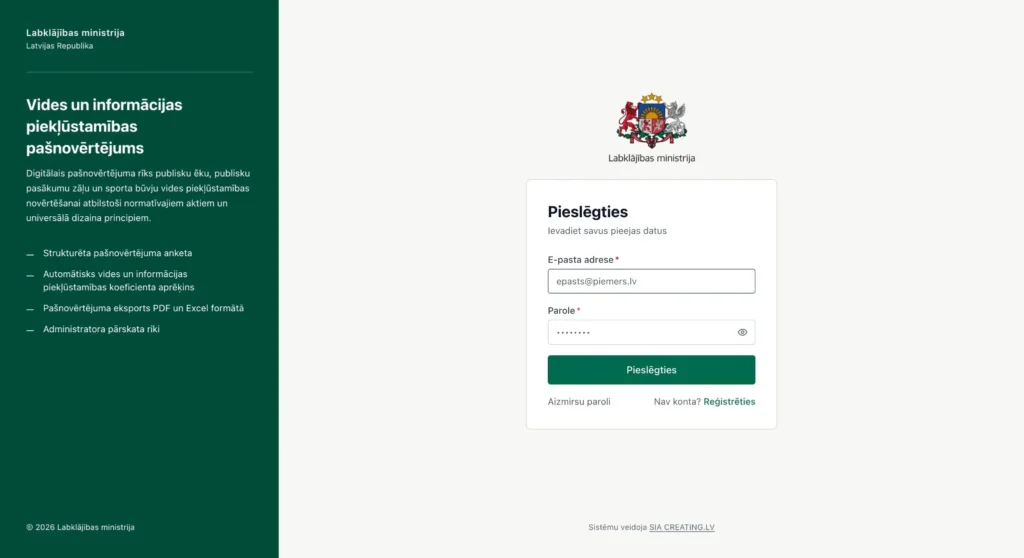
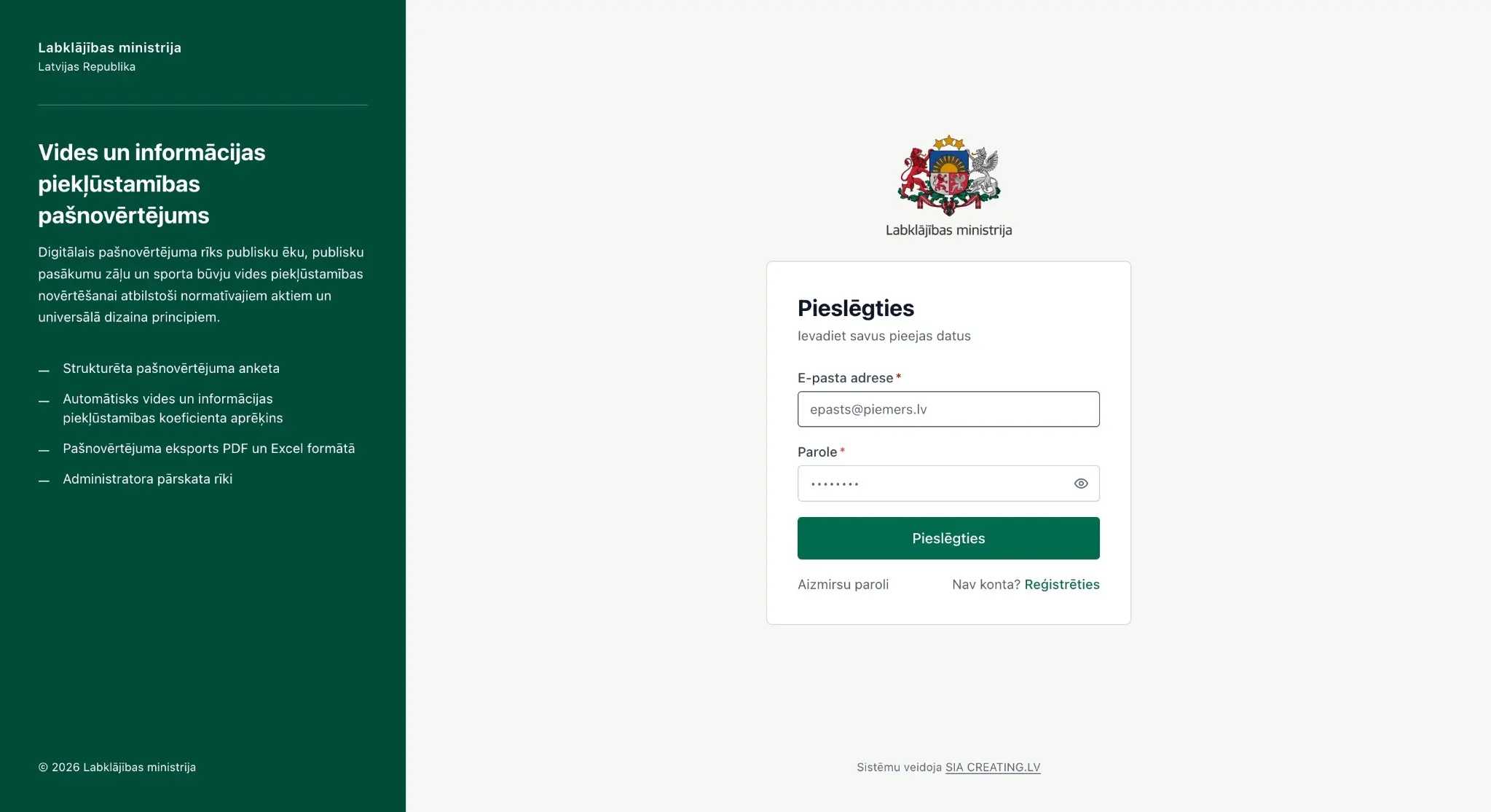
CREATING.LV’s work on this project is the development of a custom system for a specific self-assessment methodology. The solution is not a public company website or an online store: at its centre are the questionnaire, the site data, the users’ workspace and the administrator tools. The attached project screens show the login page, the respondent overview, completing the questionnaire and several management sections.
The programming task is to move the questionnaire workflow into the browser while keeping the distinction between the actions of the data submitter and the administrator. For example, a respondent starts the self-assessment of their site, while the administrator reviews submissions and manages the questionnaire structure. Separating the roles in this way makes it possible to meet the needs of both the person filling in the questionnaire and the person collecting the data in one product.
Project views
 — enlarge image
Logging in to the system 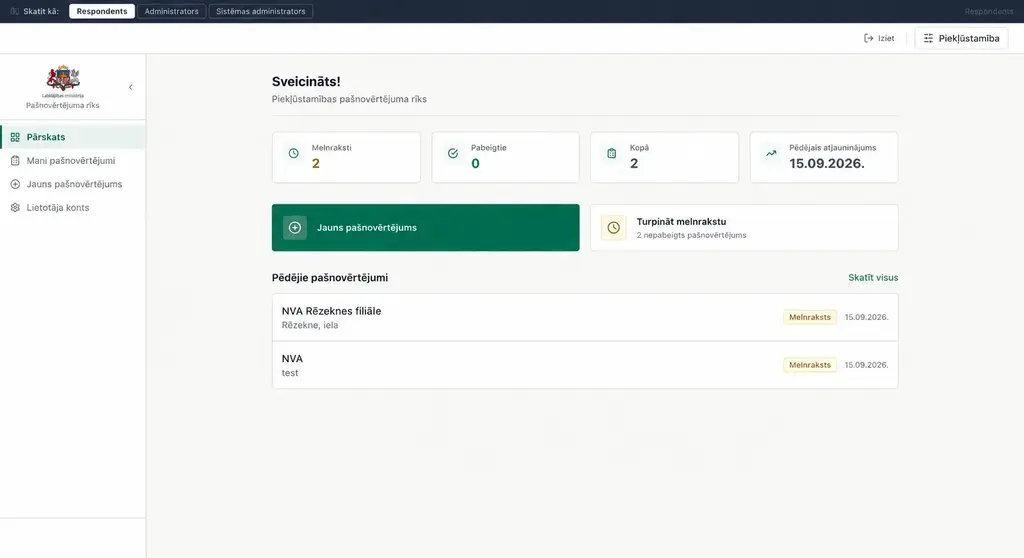 — enlarge image
Respondent overview 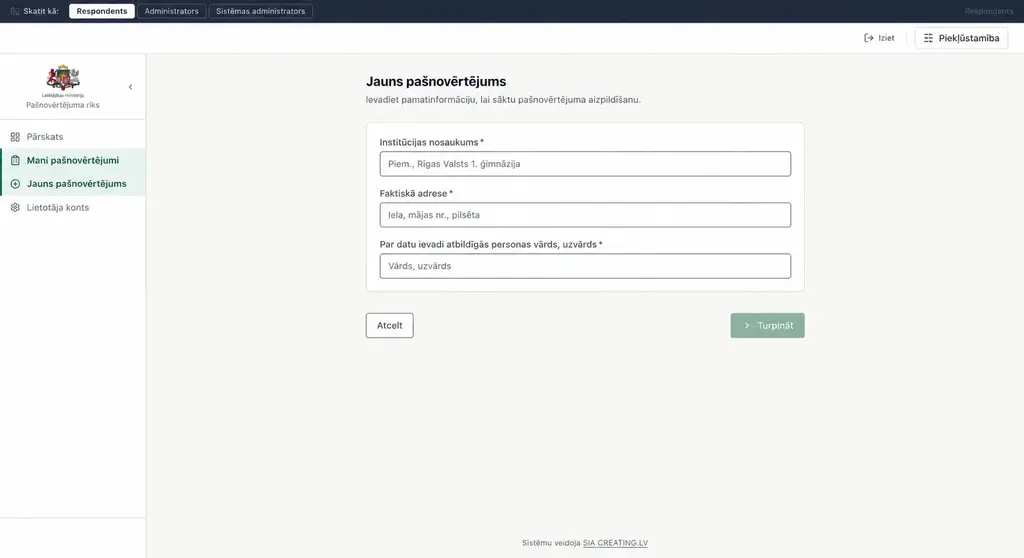 — enlarge image
New self-assessment 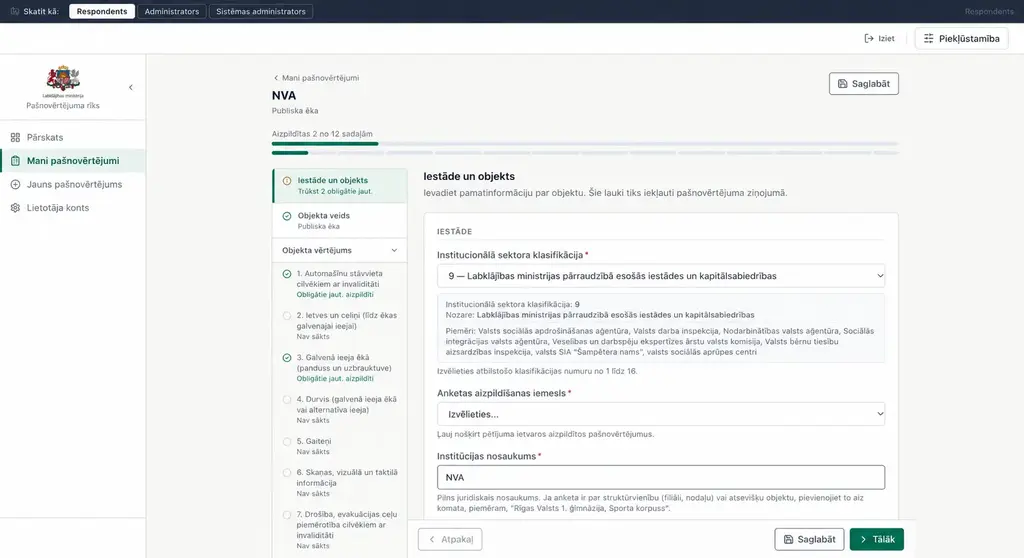 — enlarge image
Completing the questionnaire 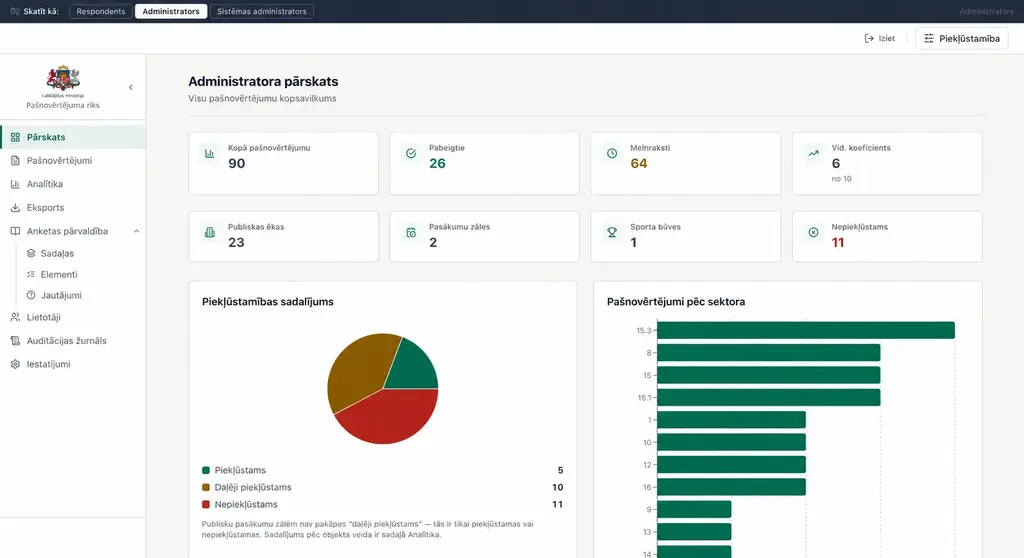 — enlarge image
Administrator overview 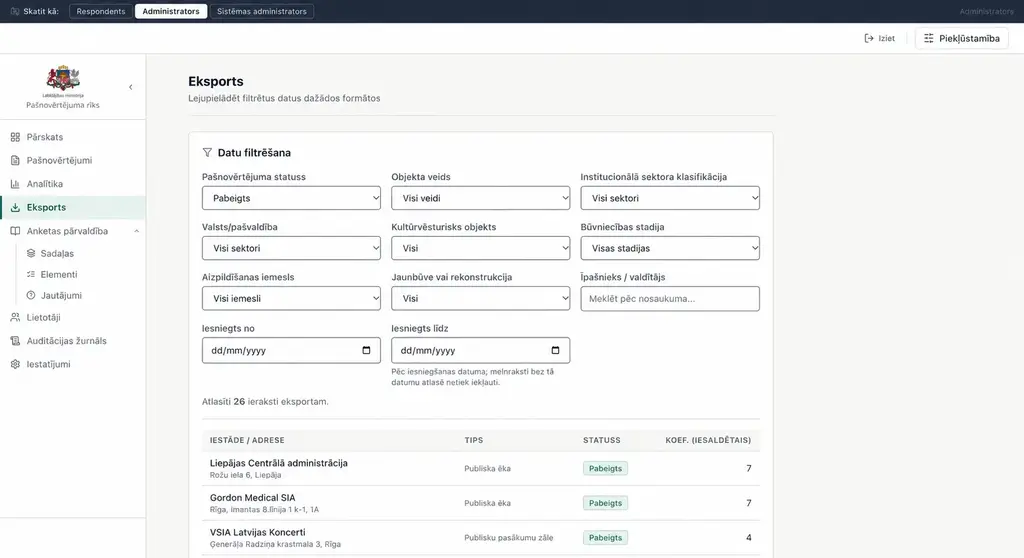 — enlarge image
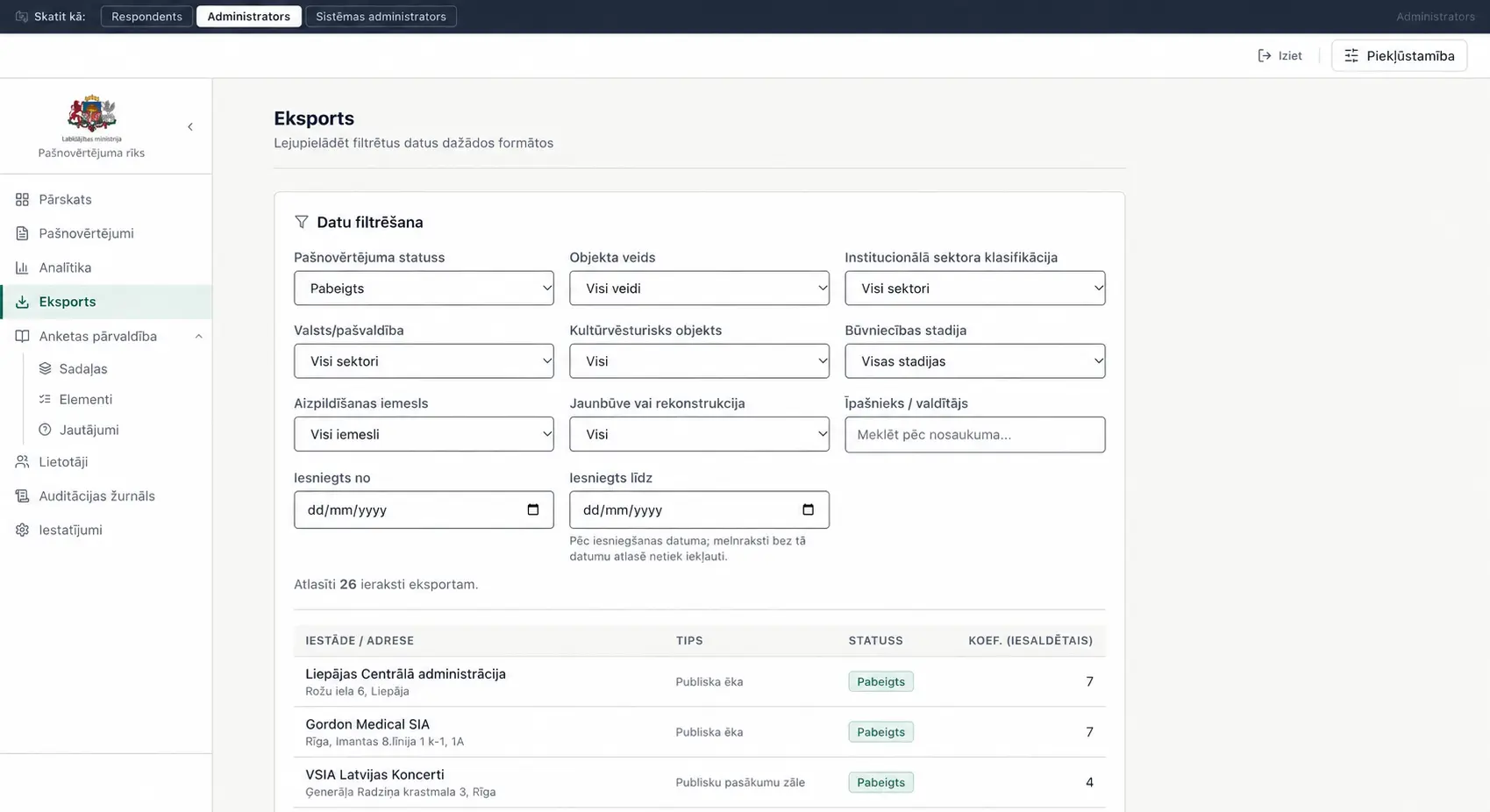
Data selection and export 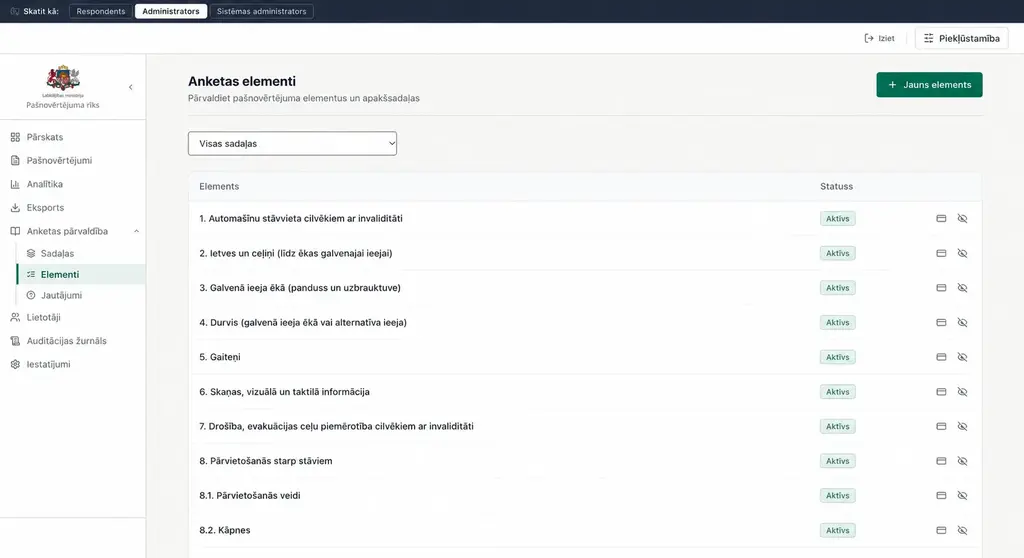 — enlarge image
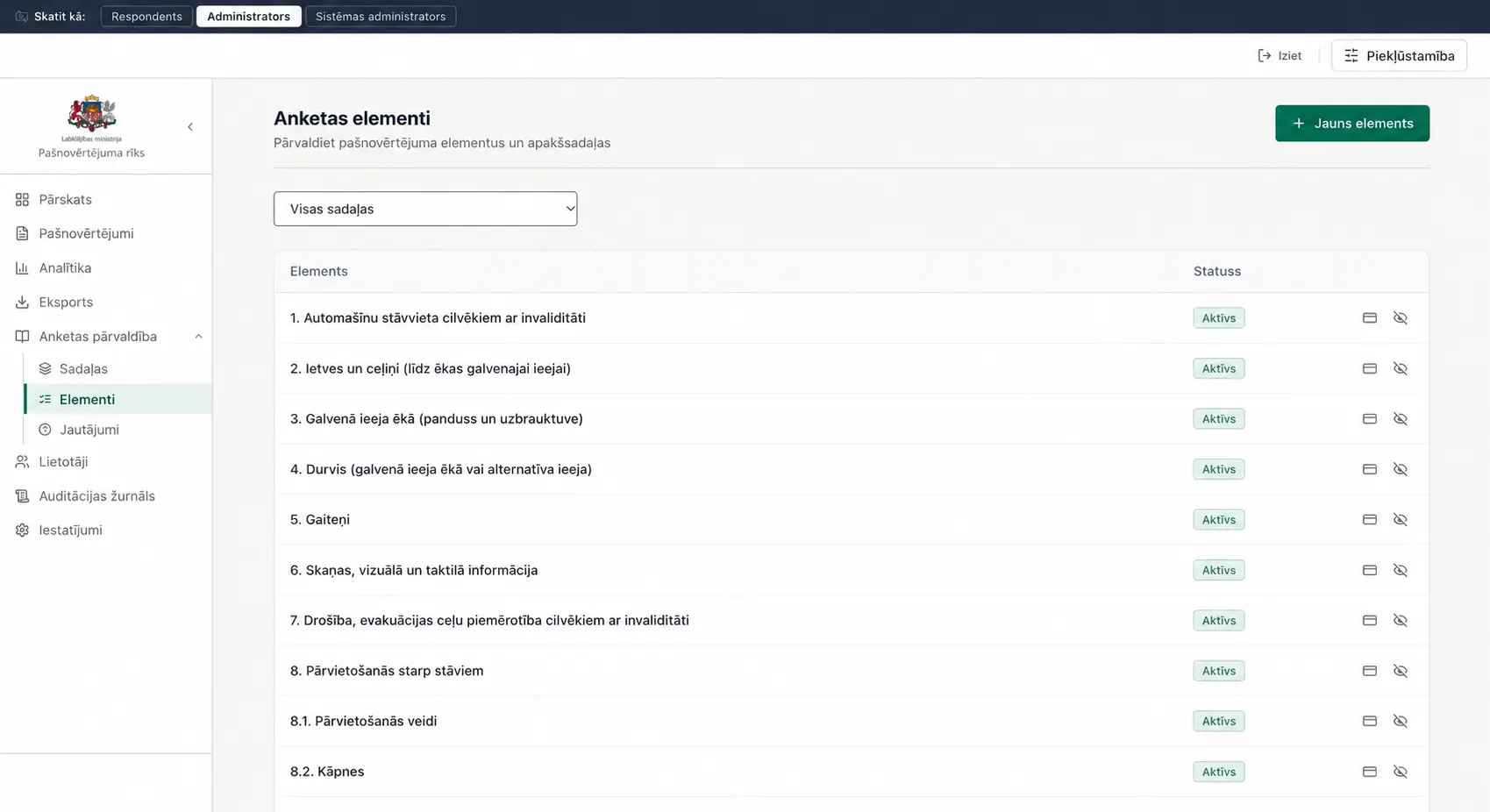
Managing questionnaire elements
Digitising the Excel questionnaire
Digitising the Excel questionnaire starts with the data structure. The general part describes the institution and the site being assessed, followed by the accessibility questions. In the specification, these cover parking, paths, the entrance, doors, corridors, how perceivable information is, evacuation and moving between floors. Separate groups of requirements are also provided for event halls and sports facilities.
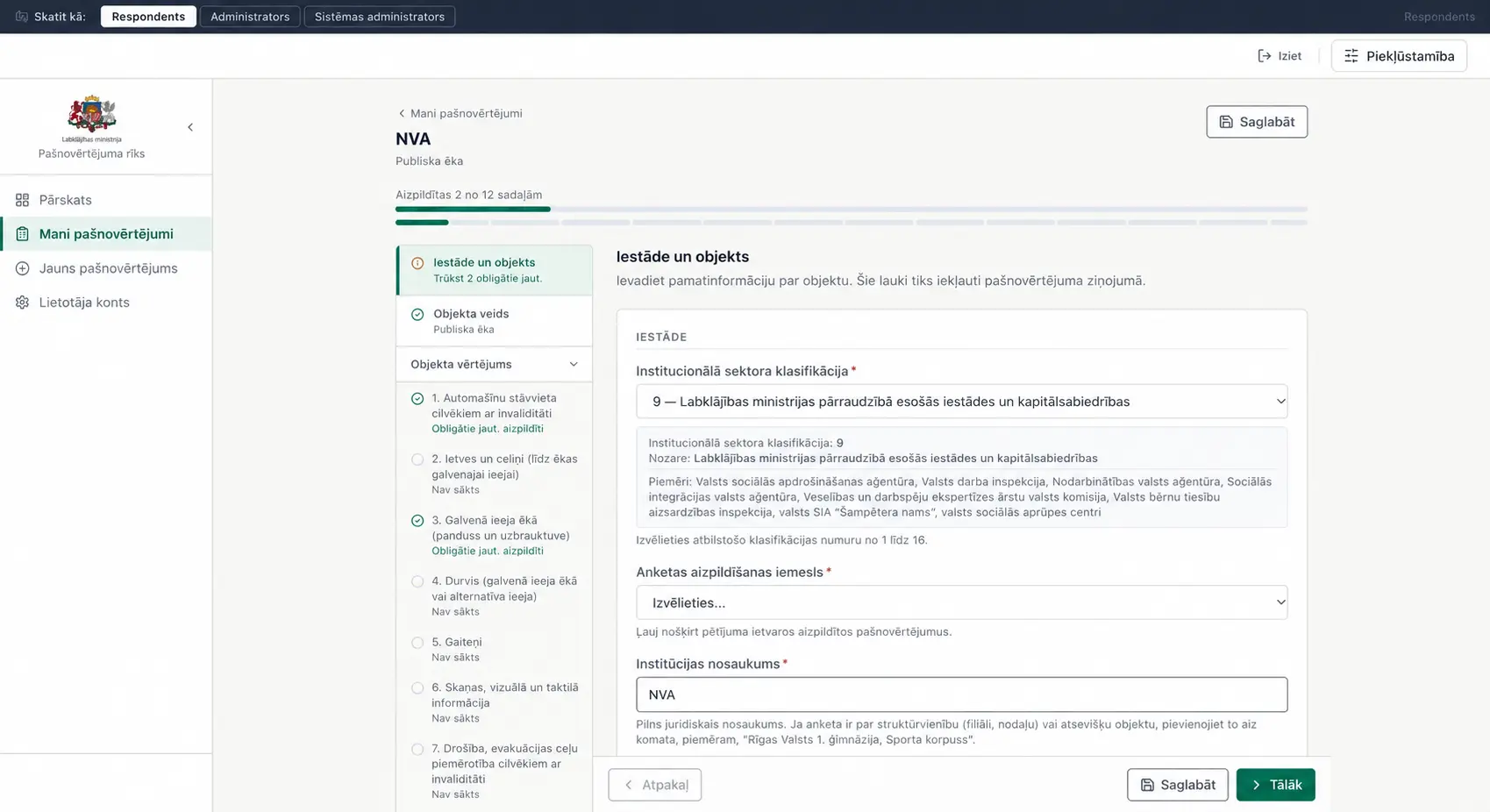
In the online interface, this volume is divided into sections. The person filling it in does not have to search for the right row in a long spreadsheet: the questionnaire structure is visible in the left-hand navigation, and the fields and explanations for the selected section open next to it. The institutional sector selection field shown in the screenshot also shows explanatory information and examples that help users understand what the choice means.
The respondent’s workspace
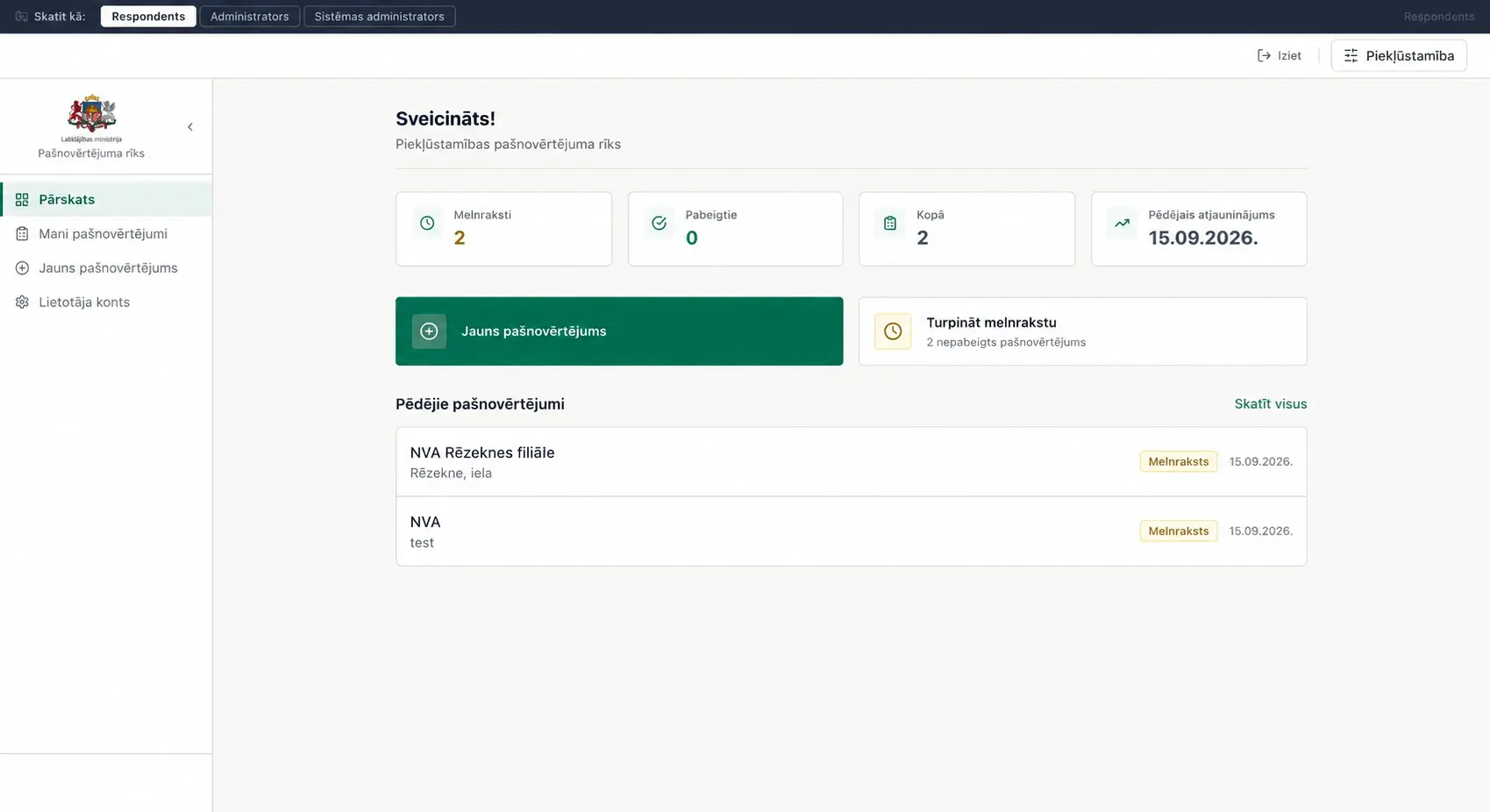
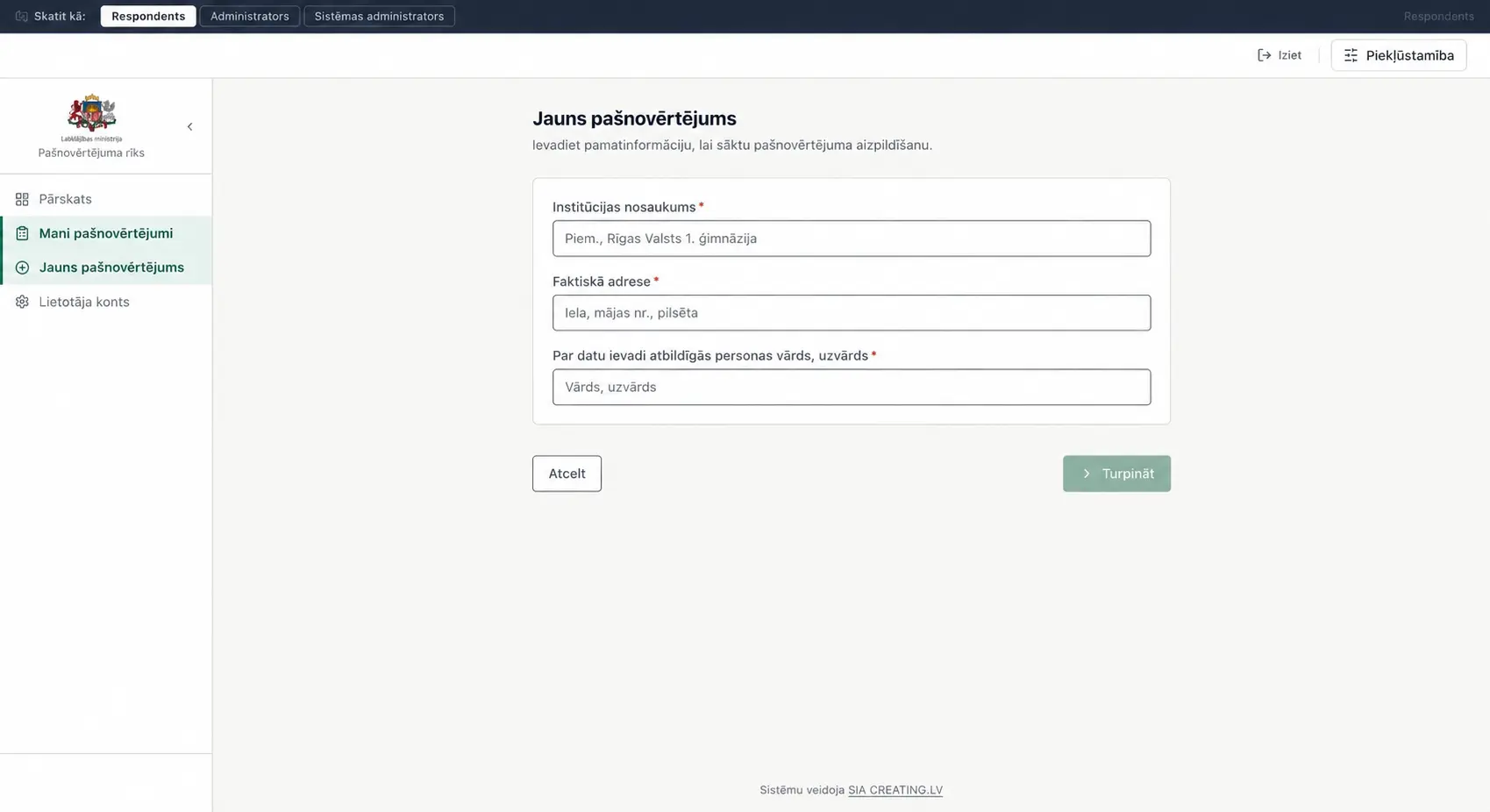
The respondent’s start view brings together drafts, completed self-assessments and the latest entries in one place. A new self-assessment starts with the institution’s name, its actual address and the person responsible for entering the data. These fields link the questionnaire to a specific site, not just to the user account. In one institution’s work, it may be important to distinguish between several buildings or structural units.
The questionnaire view has a completion progress bar, section statuses and indications of missing mandatory questions. The save and next-step actions are also visible. The clear division helps users return to an unfinished section and understand what still needs to be filled in. This is especially important for a self-assessment, because the information about a building has to be gathered from various sources to prepare it.
The site assessment logic
The self-assessment is based on the distinction between describing the site and assessing specific accessibility elements. The institution’s name or address helps identify the building, while the answers about the entrance, stairs or sanitary facilities describe the conditions of its use. It is not useful to mix this information into one free-text field. Structured questions make it possible to understand which part of the building an answer refers to and where information is still missing.
The technical specification sets out the order of completion and the conditions for skipping individual fields. For example, the assessment structure has to take the type of site into account, rather than asking every respondent exactly the same set of questions. The section statuses and mandatory-field notices on screen help users find their way through this process. This is an essential task in programming a custom system: turning the questionnaire rules into a clear user flow without losing the meaning of the original methodology.
Clear data for the administrator
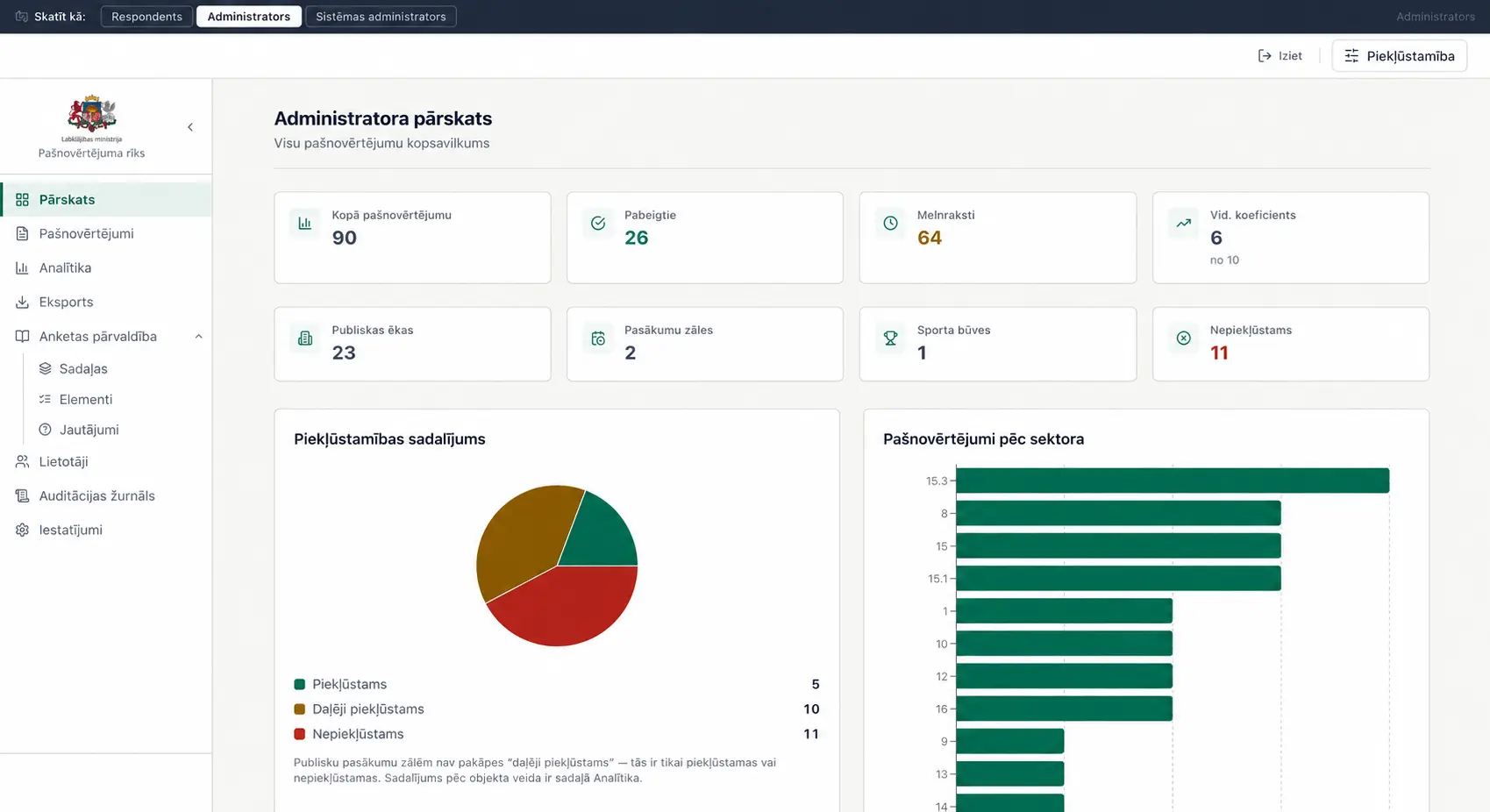
The administrator overview summarises the number of self-assessments, their statuses and the types of sites. Separate cards and charts show the accessibility distribution and the self-assessments by institutional sector. This start view helps the administrator see the overall picture before starting a detailed selection. The figures shown in the portfolio images illustrate the interface; they have not been published as official research results of the ministry.
An essential part of the technical specification is how the data is used after the questionnaire has been completed. A list of submissions alone is not enough if sites of a particular type need to be selected or groups compared. That is why the solution’s management area has analytics and export sections alongside the self-assessments. The data collection system here serves both for reviewing an individual record and for wider monitoring work.
Data selection and export
In the export view, the selection can be narrowed by self-assessment status, site type and institutional sector. There are also filters for construction stage, cultural heritage status, reason for completion and submission date. The number of selected records and the table let you review the selected data set before using it further.
The specification provides for the respondent to export their own self-assessment in Excel and PDF format, and for the administrator also to export CSV and analysis reports. The document also sets out the calculation of percentages and an accessibility coefficient based on Excel formulas and weightings. These requirements explain the system’s task; the screenshots on their own are not a functional test of the accuracy of the calculations or of every export format.
Questionnaire management
In the administrator menu, questionnaire management is divided into sections, elements and questions. The elements view shows the accessibility assessment blocks, such as the main entrance, corridors, stairs and how perceivable information is. Each element shows a status, and the interface has an action for adding a new element. That way, the questionnaire structure is not just a list the person filling it in sees, but managed content.
The ministry’s technical specification provides for the ability to edit the questionnaire content independently. This is important for a tool that is planned to be used repeatedly: as questions or explanations change, a clear structure has to be maintained. The project screens show how this management is separated from the respondent’s day-to-day actions.
Usability and the project’s significance
The interface uses left-hand navigation, clear field names, statuses and visually separated content cards. The header also has accessibility controls. The specification sets out keyboard use, readable text and contrast requirements. This overview does not claim independently certified compliance: that would require separate accessibility test results.
The Ministry of Welfare project shows CREATING.LV’s approach to digitising a work process: from an Excel questionnaire to a structured web system with different user roles, data entry and management views. A similar principle can be used for institutional reports, self-assessments and other questionnaires where a single information structure matters. The specific features and calculation methodology in each such system have to be adapted to its task.
Services we used
Note
This portfolio entry reflects the solution as delivered at handover. The current website may have changed.